Senior living & healthcare
Resident call, controlled doors and cameras that survive a state survey.
Data, Wi-Fi, phones, cameras, doors, intercoms, nurse call, sound, screens, television and drone site plans. We design it, pull it, terminate it, certify it, label it — and stand behind it after the truck leaves.
Every low-voltage system in a commercial building, installed by one contractor. Open a row for what is actually included and the hardware it usually involves.
Outlets · patch panels · MDF/IDF racks · switches · fiber trays
Offices & clinics · Warehouse & industrial · Schools & childcare · Hotels & resorts
Access points · controllers · PtP radios · outdoor enclosures
Warehouse & industrial · Hotels & resorts · Multi-family & HOA · Schools & childcare
Desk phones · SIP gateways · ATAs · paging adapters
Offices & clinics · Hotels & resorts · Senior living & healthcare · Schools & childcare
IP cameras · NVR / VMS · PoE switches · monitors · storage
Retail & convenience · Multi-family & HOA · Warehouse & industrial · Schools & childcare
Readers · controllers · maglocks & strikes · REX · power supplies
Offices & clinics · Multi-family & HOA · Schools & childcare · Senior living & healthcare
Door stations · gate panels · master stations · door releases
Multi-family & HOA · Schools & childcare · Senior living & healthcare · Offices & clinics
Call stations · pull cords · pendants · dome lights · annunciators
Displays · projectors · mixers · amplifiers · ceiling mics · control
Amplifiers · zone controllers · commercial displays · media players
Restaurants & bars · Hotels & resorts · Retail & convenience
Antennas & masts · headend amps · splitters · taps · outlet plates
Hotels & resorts · Senior living & healthcare · Multi-family & HOA
Ceiling & horn speakers · amplifiers · zone controllers · paging mics
Schools & childcare · Warehouse & industrial · Senior living & healthcare · Retail & convenience
Survey drone · high-resolution camera · ground targets · CAD site plan
Warehouse & industrial · Multi-family & HOA · Retail & convenience · Schools & childcare
Walk in, press one button, and the room joins the call — the camera framing the people, everyone heard, the screen already on. We design, wire, install and support business-class conference rooms on the platform your team already uses.
The same crew that installs your systems can fly the site first. An FAA Part 107 pilot shoots it straight down, and we draw a to-scale as-built plan from the photos.
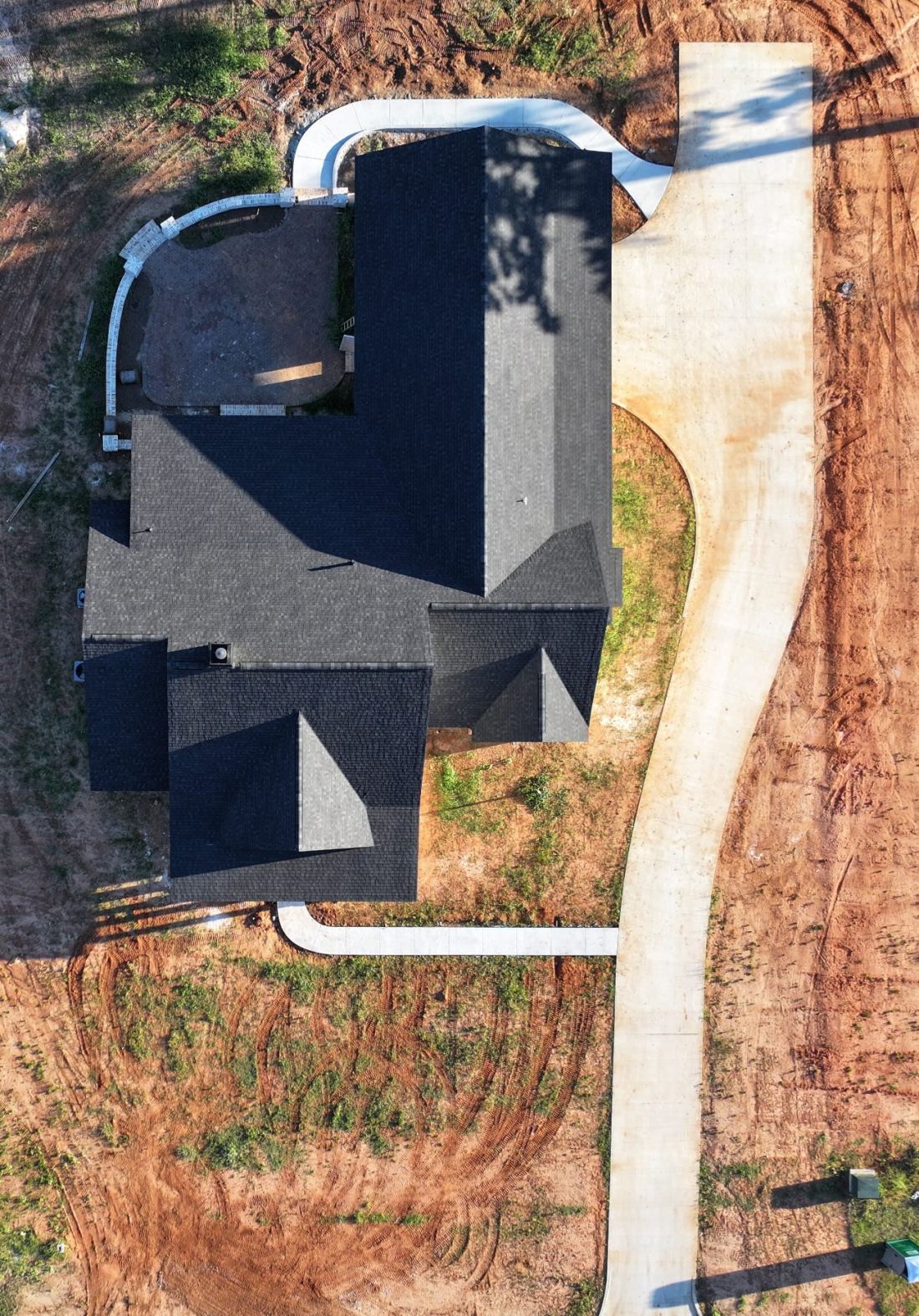
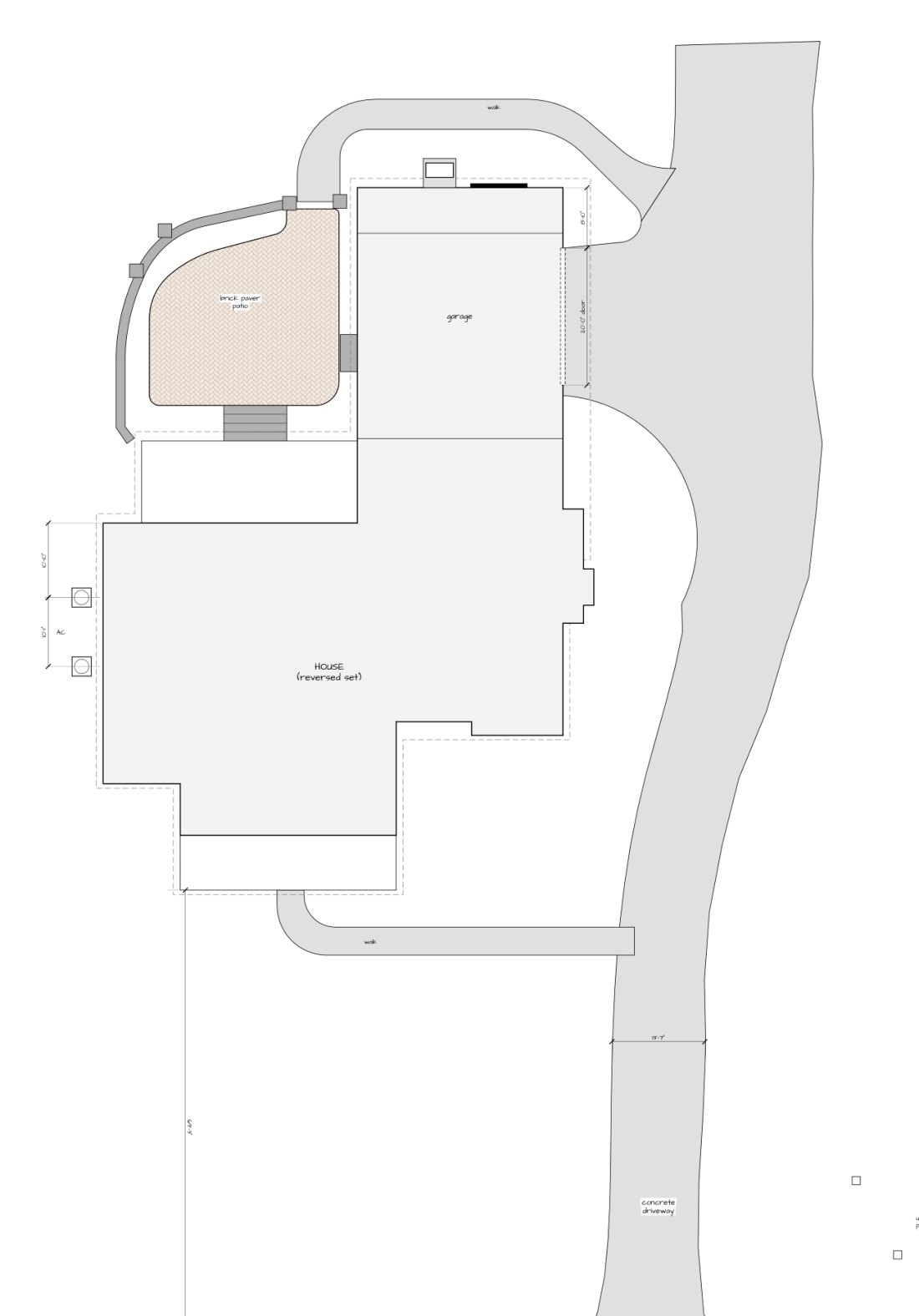 Photo and the site plan drawn from it
Our fiber records app. It connects your ArcGIS map to your fiber plant, so techs can find a fiber, record a splice or add a pedestal from a phone. Approved work lands back in your ArcGIS layers.
Different buildings need different bundles. Here is the stack we most often install in each — the tags cross-reference the schedule above.
Resident call, controlled doors and cameras that survive a state survey.
Guest Wi-Fi that actually reaches the far rooms, plus lobby AV and back-of-house paging.
Music and screens by zone, cameras over the register, and a POS network that stays up.
Bells, classroom intercom, locked-down entries and cameras on every hallway.
Gate and lobby entry, amenity cameras, and coverage across the whole property.
Speech-first sound, a stream nobody has to babysit, and doors you can secure mid-service.
Clean cabling, meeting rooms that work, badge access and phones on every desk.
Coverage to the back wall, paging over machinery, and cameras on the dock.
Camera coverage that holds up, music in the aisles, and a network for the registers.
Cameras, doors, phones, speakers and nurse call all end up on the same copper, the same switches and the same rack. Split them across four contractors and every problem becomes somebody else's. One crew designs the plant once, sizes it for all of it, and owns the result.
You always know which one you are standing on.
The most successful installations are managed installations.
 Plan
Plan Design
 Deploy
 Care
CareWe come out, look at the ceilings, the pathways and the rooms, and ask what you are actually trying to fix. No charge.
You get device counts, a riser, and a fixed number — so nothing shows up on the invoice that was not on the drawing.
Pathways, boxes and cable in before the walls close, coordinated with the GC and the electrician.
Terminate, certify, mount, program, and sit down with your people until they can run it.
Test results, labels, as-builts and credentials handed over. Then we pick up the phone when you call.
Low voltage is easy to hide. Anybody can make a camera come up on a screen; the difference shows two years later when somebody has to add a drop, chase a fault, or prove the cable was ever any good. We build so that day is boring.
If we ever part ways, everything you need to hand this to somebody else is already in your hands.
Most low-voltage systems fail quietly — a camera drops off in March and nobody notices until they need the footage in July. These plans exist so that does not happen. Ask us for pricing on your site; it depends on door and camera counts.
We watch the cameras so you do not have to.
Doors, credentials and schedules, maintained.
Coverage that stays fixed after we leave.
Priority response, an annual walkthrough of everything we installed, discounted labor, and parts stocked for the systems on your site. Available on any install we did — and on most we did not, after a survey.
Ask about coverageInternet, voice, low-voltage, drone work and AI, from one team. Low-voltage is the one you are looking at.
Fiber and fixed-wireless internet across Central Florida. No contracts, no surprises.
Visit siteBusiness hosted phone service, call-center voice and wholesale VoIP on one platform.
Visit siteCabling, Wi-Fi, cameras, doors, intercom, nurse call, AV and paging — installed and maintained.
You're hereFAA Part 107 drone flights: to-scale site plans, progress aerials and roof photos across Polk County.
See drone servicesPractical AI and automation — ask your books a question in plain English, never miss a payment.
Visit siteAll three ride the same trucks, the same crews and the same 70 mile footprint as everything above.
Remote yards, job trailers, agricultural buildings and rural offices. Obstruction survey, mast, sealed cable entry, grounding, and the network behind it.
Get a quoteOff-air distribution to every room, and a signal that keeps working when the internet does not. Lake Wales sits between the Tampa and Orlando markets.
Read moreCeiling zones, racked amps and PoE speakers, on a network built to hold them. Sonos Pro keeps what you play commercially licensed, per location.
Read moreNo — and be careful of anyone who lists it next to everything else. Fire alarm is life-safety work under its own licensing. We coordinate with your life-safety contractor, keep our pathways clear of theirs, and firestop our own penetrations. Everything else in the schedule above, we do.
Yes. Most of our work is coordinated rough-in on somebody else's schedule. Send us the drawings and we will price from them, attend the coordination meetings, and be there when the ceiling is still open.
Usually. We survey it first and tell you honestly whether it is worth keeping — some gear we can adopt and support, and some is better replaced than nursed. You get that answer before you spend anything.
No. We walk the building, talk through what you are trying to fix, and come back with drawings and a number. You are not committed to anything until you sign.
Yes. MORnet Communications carries fiber and fixed-wireless internet, and HostedVoice carries the phone platform. Plenty of customers use us for the install only — but if you want the wiring, the circuit and the phones from one company on one bill, that is available.
Central Florida and South Georgia. If you are outside that and the job is big enough to be worth the drive, ask anyway — we will tell you straight if it is not.
New construction, a remodel, or adding to what you already have. Give us the basics and we will come walk it.